Research workflows
Build your first watchlist
Turn one market question into a focused tracker, review its first signals and turn the useful ones into a team update.
On this page
A good watchlist starts with one question your team needs answered. Build a tracker around it, then tune it with a week of real signals before you widen it.
Start with one question
Write the question down in one sentence. It decides what goes into the tracker and tells you later whether the feed is working.
- "Which motor launches, tariff moves and channel deals affect our next review?"
- "What are our three closest health competitors launching or changing?"
- "Which OJK developments could affect our life products?"
List the companies and sources your team treats as must-read. Check those against what your feed actually surfaces in the first week, rather than assuming everything is covered.
Create the tracker
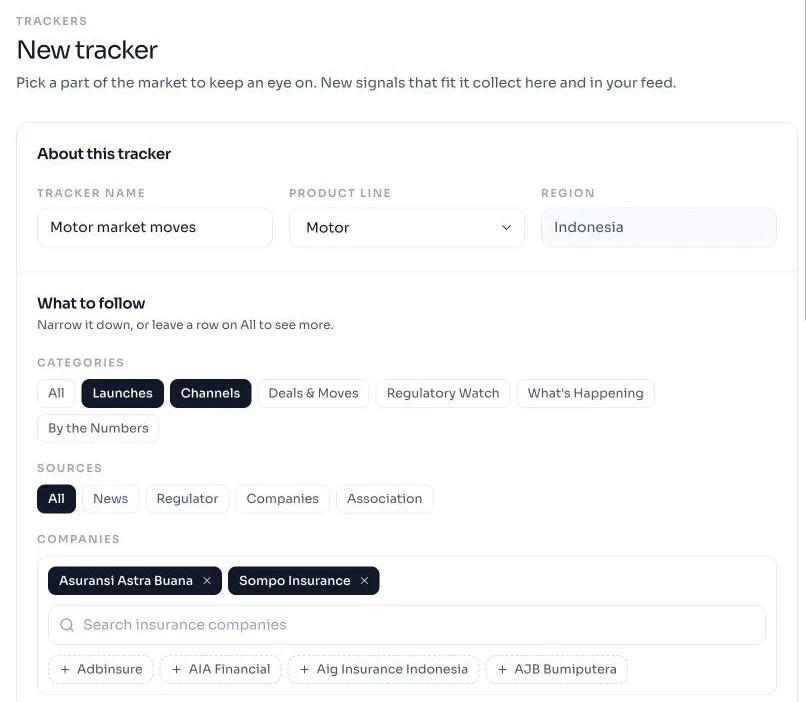
Go to Trackers → New tracker. A tracker is a product line plus up to four filters. Leave a filter on All to see more, or narrow it to cut noise.
| Field | What it does | Start with |
|---|---|---|
| Product line | The line the tracker follows: motor, health, life, travel and more | The one line your question is about |
| Categories | Launches, Channels, Deals & Moves, Regulatory Watch, What's Happening, By the Numbers | One or two that match the question |
| Sources | News, Regulator, Companies, Association | All, until you see where the noise comes from |
| Companies | The insurers you compete with | Two to five |
| Keyword | One phrase that must appear in the signal | Blank, or one specific term such as EV |
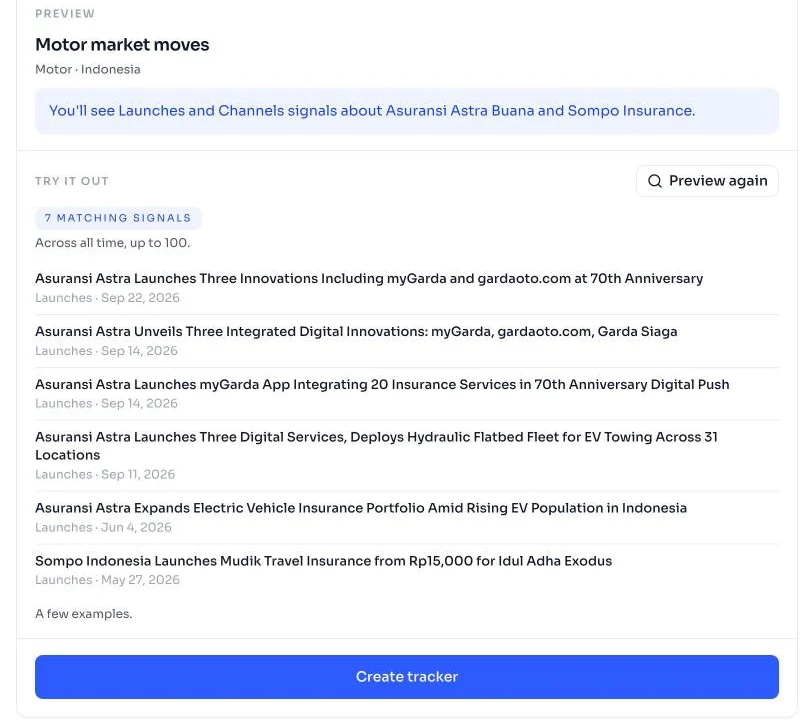
The preview sums up what the tracker will catch in one sentence. Choose Preview matches to see signals it would have caught before you create it, then adjust the filters until the list looks like your question.
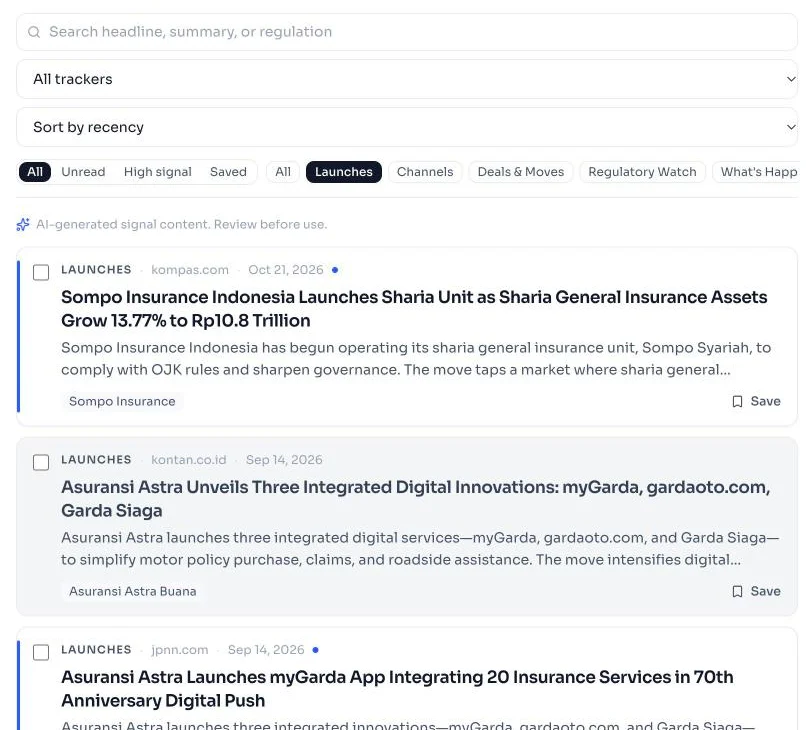
Review the first signals
Open the signal feed, choose your tracker from the All trackers menu, and sort each signal into one of three piles.
| Decision | What it means | What to change |
|---|---|---|
| Useful | Answers part of your question; worth reading or sharing | Nothing: keep the setup |
| Noise or duplicate | Repeats another item or doesn't touch the question | Narrow a category, company or the keyword |
| Unclear | Might matter, but the summary isn't enough | Open the source before deciding |
Save the useful ones so they're easy to find when you write the update. A week that brings three signals worth acting on means the feed is working.
Check before you share
The summary tells you what deserves attention. Before a claim goes into a deck or a team update, open the original source and confirm the publisher, the date, the scope and the status. A forecast, a consultation and an enacted rule are different things.
Verify a signal against its source has the full two-minute check.
Write the team update
A useful market update answers three questions:
- What changed, according to the source?
- Why does it matter to us?
- What do we watch or do next?
Link every material statement to its source, and keep the facts apart from your read of them.
Tune it after one week
At the end of the first week, ask:
- Which signals were good enough to forward?
- Which companies or categories produced mostly noise?
- Did anything you expected never show up?
- Did the feed surface something you'd otherwise have missed?
Change one filter at a time, so you can tell what made the feed better. For worked setups by team, see competitor monitoring and regulatory monitoring.
Build your first tracker
Pick one product line and two competitors. Your feed starts filling as soon as you save.