Research workflows
Compare products with RIPLAY evidence
Find comparable products, line them up side by side and check the fields that matter against the official RIPLAY.
On this page
A useful benchmark starts with a decision and products that are actually comparable. Flowy finds the products, lines them up and, for products with a RIPLAY, takes you straight to the official document, so the fields that matter have a source a reviewer can open.
Define the question
Write down what the comparison should support before you pick products:
- Which features show up across comparable health products?
- Which channels does this segment sell through?
- Which benefits, limits or exclusions should our team look at?
- Which products deserve a deeper manual benchmark?
Note the target customer, product line and intended use. They decide which products and fields belong in the table.
Find candidate products
Open Explore and filter by product line, company, pricing tier, channel and product type, or search by name. Start broad, then cut the list down to products that serve the same customer need.
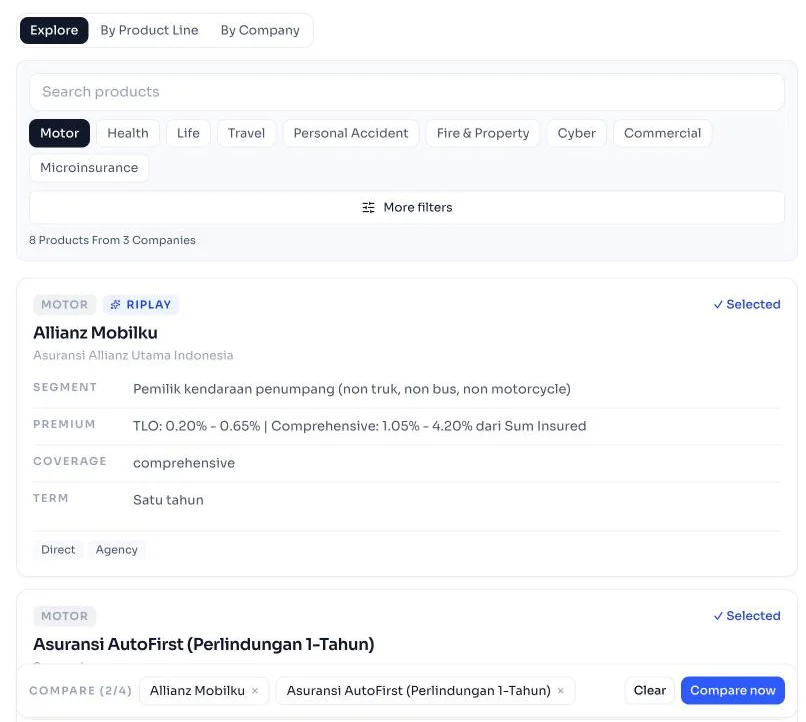
A critical-illness plan, a medical-reimbursement plan, a unit-linked policy and a group health plan can all sit under "health" and still need different fields. Use the comparison to surface those differences.
Put them side by side
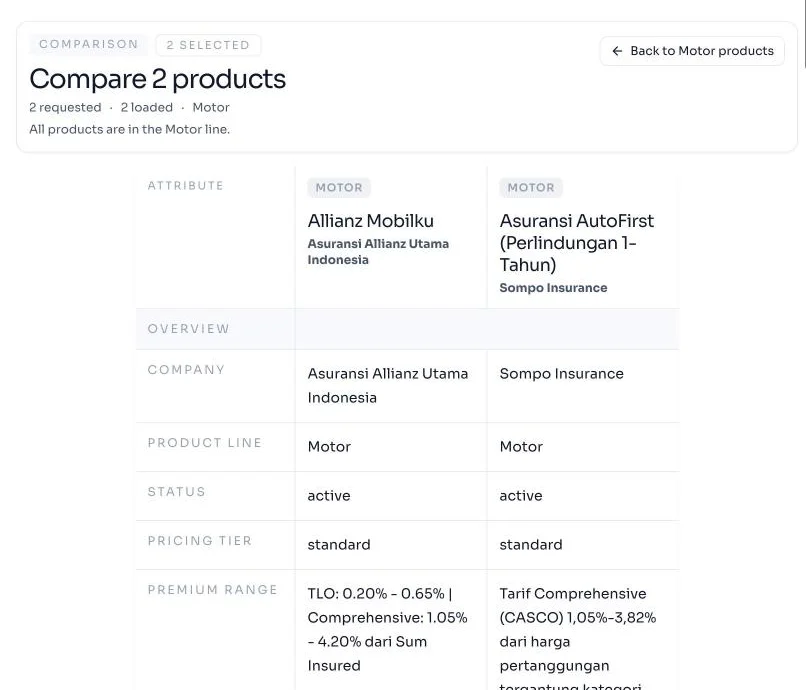
Add two to four products to the compare bar in Explore, then choose Compare now. Rows follow the product line: a motor comparison shows workshop type and deductible, a health comparison shows room class and benefit limits, a life comparison shows entry ages and cash value.
| Field group | Examples | Watch out for |
|---|---|---|
| Identity | Insurer, product, product type | Confirm the exact document version |
| Distribution | Agency, bank, direct, digital | Availability can vary by partner or segment |
| Coverage | Benefits, limits, exclusions | Definitions and conditions matter |
| Pricing | Premium range or tier | Rarely like-for-like |
| Terms | Eligibility, term, currency, payment basis | Check the conditions that apply |
An empty cell means the field wasn't found. Check the document before you conclude the feature is missing.
Check the fields that matter in RIPLAY
Products with a RIPLAY badge in Explore have the official document attached. Open the product's page and follow the RIPLAY document link in its sources. For products without one, use the insurer's product page and note the gap. Confirm the document matches the insurer and product, then find the provision or table behind each field that affects your decision.
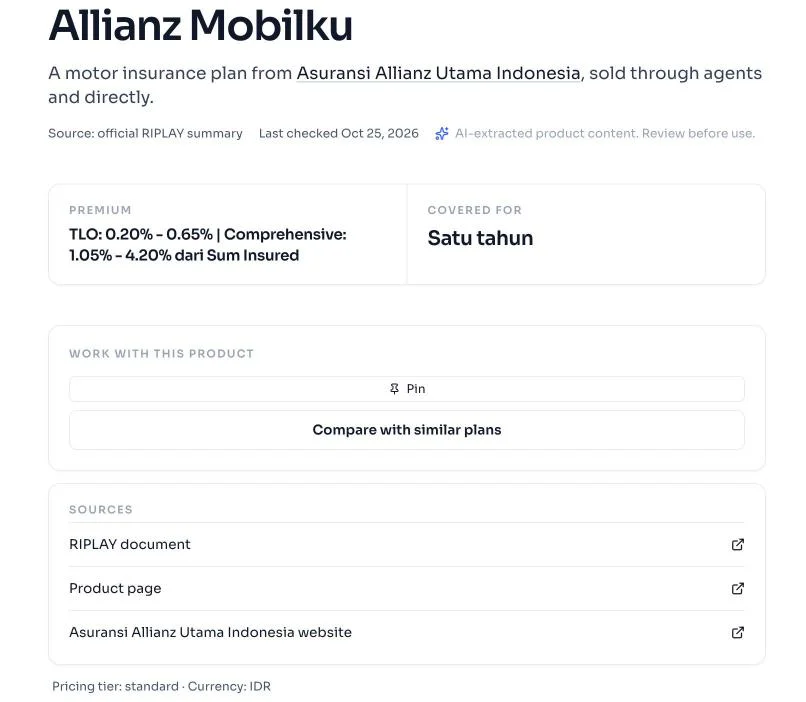
Mark each one as:
- Supported: the document says so.
- Conditional: true only for some plans, limits or eligibility rules.
- Unclear or not found: the reviewed wording isn't enough.
- Inconsistent: the summary and the document disagree. Flag it for correction.
Keep the document link beside the field. The same habit applies to news signals: see Verify a signal against its source.
Write the benchmark
A benchmark people can act on has:
- The purpose and scope.
- The products included and why.
- A table of the fields that matter.
- Source links and document dates.
- What's missing, conditional or inconsistent.
- Your interpretation, kept apart from the facts.
- The reviewer and the next step.
Ask a second person to check fields that drive product, pricing, legal or compliance decisions, and date the review so nobody treats it as current forever. For a team-level view, see product benchmarking.
Start your first comparison
Find two products in Explore, put them side by side and open the RIPLAY behind every field.